# Agent Monitor

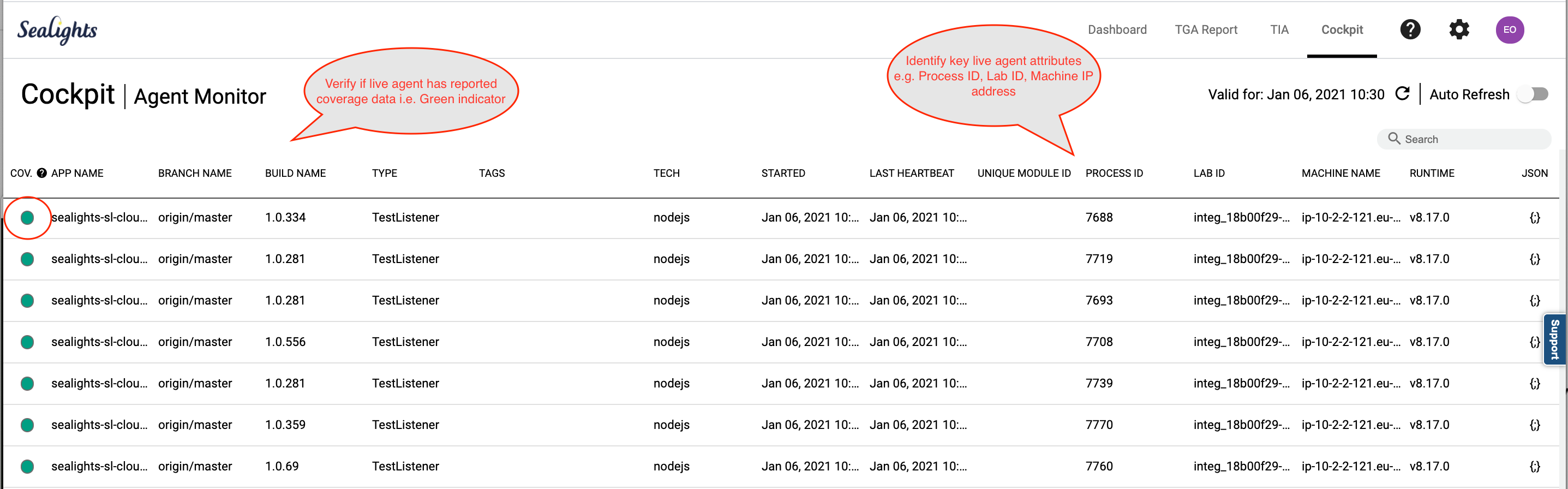
The Agent Monitor screen provides a live list view of the **Sealights Agents that are currently active**. The screen provides useful information e.g. key parameters such as the application build version along with other environment attributes, machine name, IP address to help identify specific testing environments.

These are typically the Agents that have come up along with the application under test whenever it has been deployed for test stages such as functional, automation, integration testing. A sample view is shown below:

<figure><img src="/files/GhBYnLHp0g8kZ3MmRjFr" alt=""><figcaption></figcaption></figure>

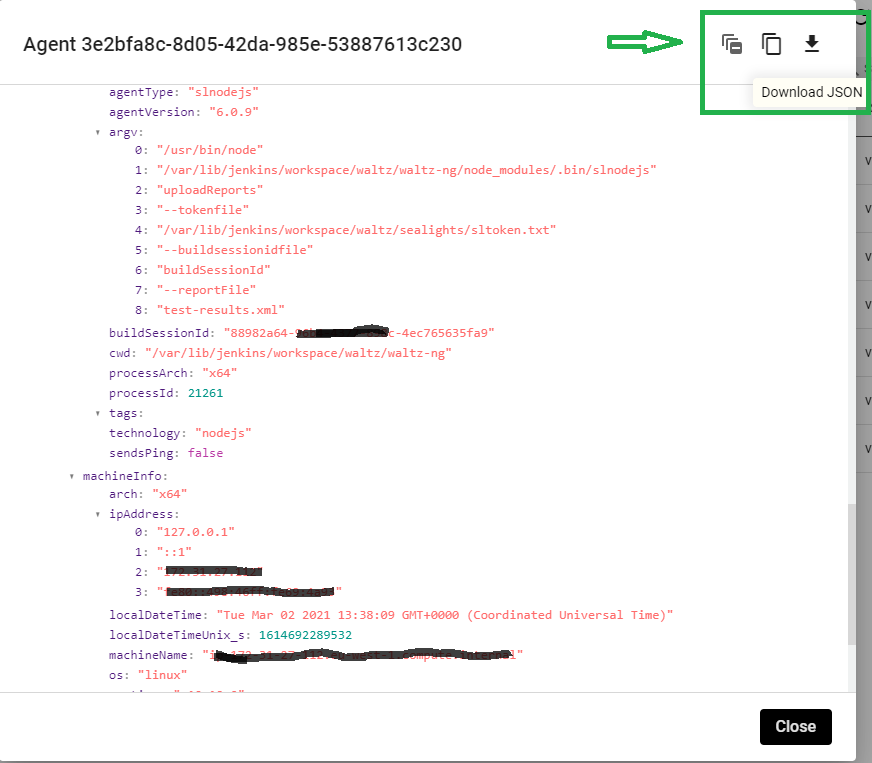
For every agent entry in the table, there will be a `{;}` button opening all the technical details about the agent running (JSON format).

<figure><img src="/files/w8UB3sFvpRdHHn4jSQ4s" alt="" width="563"><figcaption></figcaption></figure>

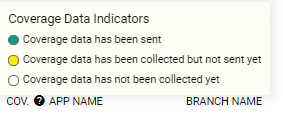
For Coverage Listener agents, coverage “traffic light” providing advanced indication on the level of data captured is shown on the far left side of the agent entry (see picture below).

<figure><img src="/files/CRSEXEiV6KeDt0nRMTu3" alt=""><figcaption></figcaption></figure>

You can use the Search field to filter the displayed active Agents list by key attributes such as Process ID, Machine name, Lab ID, IP address etc.

<figure><img src="/files/1zegCza4FyVFP6TcjLmd" alt=""><figcaption></figcaption></figure>


---

# Agent Instructions: Querying This Documentation

If you need additional information that is not directly available in this page, you can query the documentation dynamically by asking a question.

Perform an HTTP GET request on the current page URL with the `ask` query parameter:

```
GET https://docs.sealights.io/knowledgebase/setup-and-configuration/monitoring/sealights-cockpit/agent-monitor.md?ask=<question>
```

The question should be specific, self-contained, and written in natural language.
The response will contain a direct answer to the question and relevant excerpts and sources from the documentation.

Use this mechanism when the answer is not explicitly present in the current page, you need clarification or additional context, or you want to retrieve related documentation sections.