> For the complete documentation index, see [llms.txt](https://docs.sealights.io/knowledgebase/llms.txt). Markdown versions of documentation pages are available by appending `.md` to page URLs; this page is available as [Markdown](https://docs.sealights.io/knowledgebase/setup-and-configuration/sealights-agents-and-plugins/python-agent/downloading-the-python-agent.md).
# Downloading the Python Agent
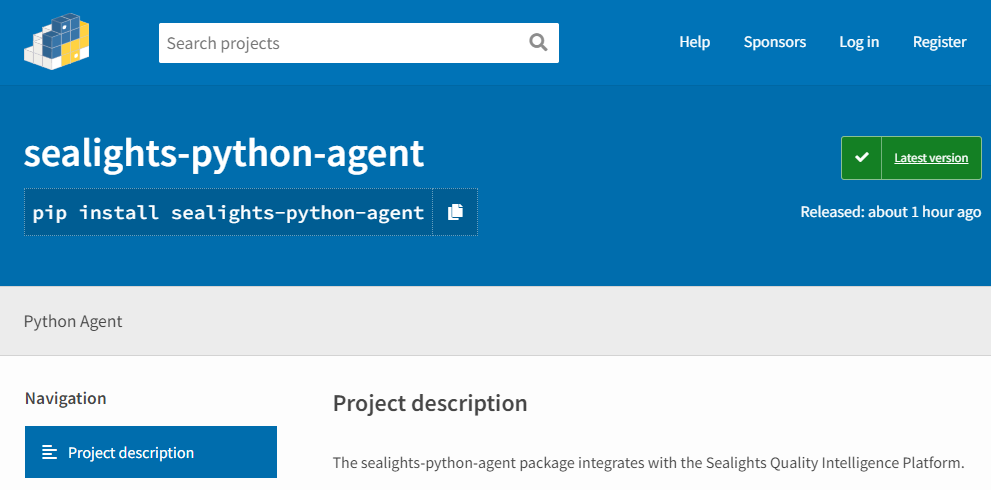
The SeaLights Python agent is published on [PyPI](https://pypi.org/project/sealights-python-agent/) and installed via `pip`. There is no binary to download — the agent and all its dependencies are resolved by the package manager.
{% hint style="info" %}
**Using an internal artifact repository?** If your organization mirrors SeaLights agents in an internal repository (such as JFrog Artifactory, Nexus, or alike), replace the download URL with your internal repository endpoint. The download path structure remains the same.
{% endhint %}
## Choosing an Installation Strategy
There are three ways to specify which version to install. Choose based on your stability and operational requirements:
Strategy
When to use
Latest
Quick start, dev/sandbox environments, POC
Specific version ⭐
Production pipelines — set via API (recommended) or hardcoded
{% hint style="warning" %}
The agent depends on the `cryptography` package, which requires OpenSSL libraries.
* On Linux, this is typically available out of the box.
* On Windows, you may need to install OpenSSL and ensure it is referenced in your `LIB` and `INCLUDE` environment variables.
{% endhint %}
## Strategy 1: Install the Latest Version
Installs the most recent published release at runtime. Suitable for development environments where you always want the newest capabilities and can tolerate potential breaking changes between runs.
{% tabs %}
{% tab title="Bash" %}
{% code overflow="wrap" %}
```bash
echo "[SeaLights] Installing Python agent (latest)..."
pip install sealights-python-agent
echo "[SeaLights] Installed version: $(pip show sealights-python-agent | grep Version)"
```
{% endcode %}
{% endtab %}
{% tab title="GitHub Actions" %}
{% code overflow="wrap" %}
```yaml
- name: Install SeaLights Python Agent (latest)
run: |
echo "[SeaLights] Installing Python agent (latest)..."
pip install sealights-python-agent
echo "[SeaLights] Installed version: $(pip show sealights-python-agent | grep Version)"
```
{% endcode %}
{% endtab %}
{% tab title="PowerShell" %}
{% code overflow="wrap" %}
```powershell
Write-Host "[SeaLights] Installing Python agent (latest)..."
pip install sealights-python-agent
Write-Host "[SeaLights] Installed version: $(pip show sealights-python-agent | Select-String 'Version')"
```
{% endcode %}
{% endtab %}
{% tab title="ADO" %}
{% code overflow="wrap" expandable="true" %}
```yml
- task: PowerShell@2
displayName: 'Install SeaLights Python Agent (latest).'
inputs:
targetType: inline
pwsh: true
script: |
pip install sealights-python-agent
$installed = pip show sealights-python-agent | Select-String 'Version'
Write-Host "[SeaLights] Installed version: $installed"
```
{% endcode %}
{% endtab %}
{% endtabs %}
## Strategy 2: Specific Version (Recommended)
{% hint style="info" %}
**Tip:** For production pipelines, leave `SL_AGENT_VERSION` empty in the snippet below to automatically (via API call) resolve the version your administrator has approved in the Dashboard settings dedicated page.
* When the approved version changes, every pipeline picks it up automatically on the next run — no edits required.
* When troubleshooting, set it to `latest` or pin it to a specific version (e.g. `2.10.5`).
{% endhint %}
**API Endpoint**
```
GET https://{DOMAIN}/api/v2/agents/sealights-python/recommended/version
```
Authentication: `Authorization: Bearer `\
Response: JSON object with a `version` field, e.g. `{"version": "2.10.5"}`
{% tabs %}
{% tab title="Bash" %}
{% code overflow="wrap" %}
```bash
SL_DOMAIN=".sealights.co" # Replace with your account domain
SL_TOKEN=$(cat ./sltoken.txt) # Or inject via secret/env var
SL_AGENT_VERSION="" # "" = resolve from API, "latest" = newest, "X.Y.Z" = pin
PKG_SPEC="sealights-python-agent"
if [ "${SL_AGENT_VERSION}" != "latest" ]; then
if [ -z "${SL_AGENT_VERSION}" ]; then
SL_AGENT_VERSION=$(curl -sSf \
-H "Authorization: Bearer ${SL_TOKEN}" \
"https://${SL_DOMAIN}/api/v2/agents/sealights-python/recommended/version" \
| grep -o '"version":"[^"]*"' | cut -d'"' -f4)
fi
PKG_SPEC="${PKG_SPEC}==${SL_AGENT_VERSION}"
fi
pip install --quiet "${PKG_SPEC}"
echo "[SeaLights] Installed: $(pip show sealights-python-agent | grep Version)"
```
{% endcode %}
{% endtab %}
{% tab title="GitHub Actions" %}
{% code overflow="wrap" %}
```yaml
- name: Install SeaLights Python Agent
env:
SL_DOMAIN: ".sealights.co" # Replace with your account domain
SL_TOKEN: ${{ secrets.SL_TOKEN }}
SL_AGENT_VERSION: "" # "" = resolve from API, "latest" = newest, "X.Y.Z" = pin
run: |
PKG_SPEC="sealights-python-agent"
if [ "${SL_AGENT_VERSION}" != "latest" ]; then
if [ -z "${SL_AGENT_VERSION}" ]; then
SL_AGENT_VERSION=$(curl -sSf \
-H "Authorization: Bearer ${SL_TOKEN}" \
"https://${SL_DOMAIN}/api/v2/agents/sealights-python/recommended/version" \
| grep -o '"version":"[^"]*"' | cut -d'"' -f4)
fi
PKG_SPEC="${PKG_SPEC}==${SL_AGENT_VERSION}"
fi
pip install --quiet "${PKG_SPEC}"
echo "[SeaLights] Installed: $(pip show sealights-python-agent | grep Version)"
```
{% endcode %}
{% endtab %}
{% tab title="PowerShell" %}
{% code overflow="wrap" %}
```powershell
$SL_DOMAIN = ".sealights.co" # Replace with your account domain
$SL_TOKEN = Get-Content ./sltoken.txt # Or inject via secret/env var
$SL_AGENT_VERSION = "" # "" = resolve from API, "latest" = newest, "X.Y.Z" = pin
$PKG_SPEC = "sealights-python-agent"
if ($SL_AGENT_VERSION -ne "latest") {
if ([string]::IsNullOrEmpty($SL_AGENT_VERSION)) {
$headers = @{ "Authorization" = "Bearer $SL_TOKEN" }
$SL_AGENT_VERSION = (Invoke-RestMethod `
-Uri "https://$SL_DOMAIN/api/v2/agents/sealights-python/recommended/version" `
-Headers $headers -Method Get).version
}
$PKG_SPEC = "$PKG_SPEC==$SL_AGENT_VERSION"
}
pip install --quiet $PKG_SPEC
Write-Host "[SeaLights] Installed: $(pip show sealights-python-agent | Select-String 'Version')"
```
{% endcode %}
{% endtab %}
{% tab title="ADO" %}
{% code overflow="wrap" expandable="true" %}
```yaml
- task: PowerShell@2
displayName: 'Install SeaLights Python Agent (specific version)'
env:
SL_DOMAIN: ".sealights.co"
SL_TOKEN: $(SL_TOKEN) # Secret pipeline variable
SL_AGENT_VERSION: "" # Leave empty to resolve from API, or pin to "2.x.y"
inputs:
targetType: inline
pwsh: true
script: |
if ([string]::IsNullOrEmpty($env:SL_AGENT_VERSION)) {
Write-Host "[SeaLights] Resolving recommended version from dashboard..."
$env:SL_AGENT_VERSION = (Invoke-RestMethod `
-Uri "https://$env:SL_DOMAIN/api/v2/agents/sealights-python/recommended/version" `
-Headers @{ "Authorization" = "Bearer $env:SL_TOKEN" } `
-Method Get).version
}
pip install sealights-python-agent==$env:SL_AGENT_VERSION
$installed = pip show sealights-python-agent | Select-String 'Version'
Write-Host "[SeaLights] Installed: $installed"
```
{% endcode %}
{% endtab %}
{% endtabs %}
---
# Agent Instructions
This documentation is published with GitBook. GitBook is the documentation platform designed so that both humans and AI agents can read, navigate, and reason over technical content effectively. Learn more at gitbook.com.
## Querying This Documentation
If you need additional information that is not directly available in this page, you can query the documentation by asking a question.
Perform an HTTP GET request on the following URL with the `ask` and `goal` query parameters:
```
GET https://docs.sealights.io/knowledgebase/setup-and-configuration/sealights-agents-and-plugins/python-agent/downloading-the-python-agent.md?ask=&goal=
```
`ask` is the immediate question: it should be specific, self-contained, and written in natural language.
`goal` is what the user is ultimately trying to achieve, the reason they need the answer. Sharing it helps GitBook give you a better, more relevant answer. A goal is most helpful when it describes the outcome the user wants rather than restating the question. For example, with `ask=how do I create an API token`, a goal like `automate deployments from our CI pipeline` lets GitBook tailor the answer to that use case.
The response will contain a direct answer to the question and relevant excerpts and sources from the documentation.
Use this mechanism when the answer is not explicitly present in the current page, you need clarification or additional context, or you want to retrieve related documentation sections.